Showing posts with label app. Show all posts
Showing posts with label app. Show all posts
Sunday, August 28, 2016
BlueStacks App Player Pro v2 2 27 6431 Offline Rooted Mod
BlueStacks App Player Pro v2 2 27 6431 Offline Rooted Mod
BlueStacks App Player Pro adalah sebuah program yang memungkinkan Anda untuk menjalankan aplikasi Android -termasuk game- di desktop atau laptop. Anda bisa menginstall aplikasi secara online maupun offline (file apk sudah terdapat di hard drive Anda). Ini adalah program khusus yang menggunakan teknologi yang disebut Layer Cake, yang menyediakan sarana untuk menjalankan aplikasi ARM-Android di komputer berbasis Windows.

Fitur
- Menjalankan aplikasi Android di PC/Laptop
- Install offline aplikasi
- Bermain game 3D
- Home screen (Launcher) dapat diubah-ubah
- Sinkronkan dengan perangkat Android Anda, dan memungkinkan untuk menerima panggilan, SMS, foto, dan banyak lagi.
- Memiliki banyak pengaturan sistem Android pada umumnya (meskipun ada beberapa yang dihilangkan)
- Telah mendapatkan akses ROOT (akses penuh ke file sistem)
- Memiliki disc virtual seperti SD Card.
- Dan lain-lain
Mod info
- Simple Launcher Interface
- SuperUser Support
- SuperSu Support
- Import Windows Files directly from your PC to bluestacks
- Root Explorer Support
- Advanced Calculator Support
- Clock, Camera, and other accessories support
- Root Checker Support
- Build in Media Player which run mp3, mp4 and many other formats easily
- Many more…
Persyaratan
- Untuk menjalankan game 3D, dibutuhkan dukungan teknologi virtualisasi Intel VT-x atau AMD-V ™
- Untuk menginstal BlueStacks memerlukan video card yang mendukung OpenGL 2.0 atau yang lebih baru
- Untuk memulai BlueStacks, dibutuhkan sekitar 1GB RAM. Jika tidak, Anda akan menjalankan resiko "pemuatan yang berlebih"
- Untuk kinerja optimal, BlueStacks sangat membutuhkan graphic card driver yang terbaru
- NVIDIA - (WHQL – certified, stable drivers. Beta – unstable, namun dapat meningkatkan kecepatan)
- AMD RADEON - (download driver - Kategori komponen: Graphics Desktop / Notebook)
- INTEL - (produk: graphics adapters)
Cara mempercepat kinerja BlueStacks
- Tekan tombol Start/logo Windows di keyboard dengan "R" Key (Win+R)
- Ketikkan regedit di jendela Run
- Klik pada HKEY_LOCAL_MACHINE > SOFTWARE
- Kemudian pilih Bluestacks > Android > Hit masuk pada Memory dan ganti 300 menjadi 600, kemudian klik pada desimal dan klik "OK"
- Done
- Lewati langkah diatas jika tidak menemukan lokasi BlueStacks di regedit
Cara install
- Install sebagai administrator (Run as Administrator)
- Ikuti langkah-langkahnya
- Setelah selesai, BlueStacks otomatis akan berjalan
- Done

BlueStacks App Player Pro v2.2.27.6431 Offline Rooted + Mod
Size 300 mb

Friday, August 26, 2016
Arduino and Android using MIT app inventor 2 0 Learn in a day
Arduino and Android using MIT app inventor 2 0 Learn in a day
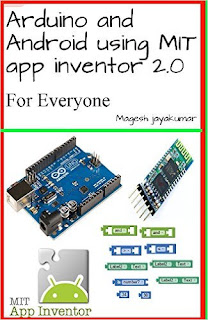

This book is about creating fun projects with arduino and android, this book will be very useful for people who are looking to create some cool projects and are not excellent with coding skills, This book will make anyone to create their own android and arduino project within few hours. This book will be very useful for children to create their own projects with their parents guidance. This book will cover the basics of MIT app inventor and this book needs user to have little experience with arduino on how to upload code to arduino and how to verify datas in serial monitor.
Tuesday, August 23, 2016
Emulator Android Ringan Selain Bluestacks yaitu Nox App Player
Emulator Android Ringan Selain Bluestacks yaitu Nox App Player

Kini hadir ketika berbicara tentang emulator Android ringan pada platform desktop. Jika Anda belum memikirkan hal itu, ada banyak kemudahan yang bisa memiliki dengan menjalankan Android pada PC desktop Anda, apakah bermain game atau hanya untuk kemungkinan multi-tasking. Diakui, Bluestacks masih raja hutan itu, tapi ternyata, Nox App Emulator ingin membawa anda pada di permainan - menawarkan fitur lengkap.
The Nox App Player didasarkan pada Android 4.4.2 Kitkat kernel, versi Android kebanyakan orang akan tahu bagaimana menggunakan. Operasi meniru software UI pada tablet atau smartphone, siapa pun bisa belajar untuk menggunakannya. Juga, Nox datang dengan Google Play Store diintegrasikan ke dalam menginstal paket, tidak perlu untuk prosedur instalasi sulit bagi aplikasi Play Store, yang merupakan bagian integral untuk semua pengguna Android pada saat ini.
Selain itu, Nox juga memiliki dukungan untuk beberapa perangkat input / output - selain mouse dan keyboard, juga memiliki kompatibilitas untuk gamepads dan pengendali. Cukup keren. Dan terakhir, Akan terlihat bahwa Anda dapat menjalankan beberapa contoh paralel Nox App Player - untuk itu ultimate multi-window, multi-aplikasi, pengalaman multitasking. Anda bahkan dapat bermain game multiplayer pada satu PC karena ini.
Situs download Nox App Emulator en.bignox.com/blog

selain itu kamu juga bisa menjalankan aplikasi android di PC seperti instagram, facebook, path, twitter, Picarts, BBM, Line, dll.
Monday, August 15, 2016
Cara Membuat Game dengan App Inventor ebook pdf
Cara Membuat Game dengan App Inventor ebook pdf

Berikut ebook cara membuat aplikasi dan game degan App inventor
berisi:
- Pengenalan aplikasi
- Tutorial lengkap dengan code
- Totorial dengan gambar
- Tutorial import code dan lain-lain
Download aplikasinya disini 300mb
Sunday, August 14, 2016
Download New BlueStacks App Player Version 0 9 1 4057 Free For Windows Vista 7 8 8 1
Download New BlueStacks App Player Version 0 9 1 4057 Free For Windows Vista 7 8 8 1
BlueStacks is a windows application that is very popular today. Functions as the most famous android emulator, so that almost all android apilikasi can be run using this apilikasi. Such as fuel, LINE, and variety of other games.
 |
| BlueStacks App Player Logo |
System Requirements
To install BlueStacks App Player Version 0.9.1.4057, you need system requirement:- Windosw Vista SP2
- Windosw 7
- Windosw 8
- Windosw 8.1
Link Download
You can download New BlueStacks App Player Version 0.9.1.4057, Click Here. (11MB)BlueStacks App Player Review
You can watching this Vedeo:?Source: Youtube
How To Install
To install New BlueStacks App Player Version 0.9.1.4057, following this steps:- Download the driver printer on the link above or www.bluestacks.com
- Double Click .exe file from download location
- Following next steps to finishing installing BlueStacks App Player Version 0.9.1.4057
Thanks For Visit. Enjoy!
Sunday, August 7, 2016
Download videos from Naver V app
Download videos from Naver V app
--- UPDATE 3 - Dec 2015
Added a section about subtitles.
--- UPDATE 2 - Nov 2015
A reader points out that a Chrome extension called Internet Download Accelerator also works for downloading Naver V videos, so give that a try if the Soshistagram tool doesnt work.
--- UPDATE 1 - Nov 2015
Another site that works is http://www.videograbber.net
I verified that I was able to download from both Naver TVcast and Naver V. They have both an online downloader tool and an actual program you can download/install on your own computer.
Original post begins below.
Naver V live TV, styled simply as V, is a popular new app among K-pop fans for watching live video-blogs from their favorite K-pop artists and idols. If youre ever used Twitters live-vlog app Periscope, then the idea and the interface will already be familiar to you. They broadcast from backstage or dressing rooms or just having random fun, you get an alert on your phone, and you and the other fans open up, watch the video live, and can type public questions in addition to sending them "hearts". It does bring a degree of intimacy and the "live" nature of the broadcast is fun, but once the broadcast is done, its saved and you can rewatch at any time.
 |
| Promo for V |
Of course, one of the most popular questions to this blog lately has been "How can we download the videos from Naver V?" Well, dont worry K-pop fans. Reader Laila Nafisatun came through to help you out, by suggesting this online tool:
? Naver V Downloader ?
from Soshistagram
Video
With this online tool, you can download any "V" video you want, simply by copy/pasting the link. In fact, they already have some of the most popular videos already listed, ready for simple download. Best of all, you can download the videos in a variety of sizes/resolutions, so you crazy fans who need every K-pop video in 1080p eye-bleeding clarity, your day is here!

In the example above, I just pasted the URL (http://www.vlive.tv/video/1981) for a video of hot girl group 4minute on their way to a fan meeting. Just right-click and "Save as..." to download. If that doesnt work, just click them, and when the video loads in your browser, right-click the video and "Save as..." as Ive shown below:

Ta da. Super simple.
Subtitles
Note that this site also checks the video for subtitles, and lets you download the subtitle file directly and in any languages that are available. That 4minute video from above, as you can see, did not include any subs, but here is one that does:

You may run into a problem with the subtitles. Thats because Naver "V" videos use a special new HTML5 format for subs called WebVTT. So your subtitle file will be a .vtt file that, as far I can tell, is unsupported by most desktop video playing apps. To use the file, you will need to convert it to a more common format, such as .srt. You can do this manually with the find-replace function on any text editor, or try a subtitle converter application, such as this or this.
UPDATE : As you can see below, Soshistagram now includes an option to download subtitles in .SRT format. Seriously, show some love for Soshistagram.

Final thoughts
Overall, the Soshistagram tool works great. The V site prevents you from accessing the streams directly from desktop. I had tried a couple of user-agent-spoofing extensions with not much luck. This tool seems to get the links for the streams and provide them directly. Thats good, because trying to right-click and "Save as..." from the links only downloads the .m3u8 playlist file, but you need the access code in the URL to get the stream working, so the playlist file is useless itself.
For more on Naver V, check it out on Android here or iTunes here.
Thanks to Soshistagram (SOSHI + Instagram ... SOSHI = So-Nyeo-Shi-Dae = ???? = "Girls Generation") for providing this highly-desired feature. And if you know of any other similar tools, let me know in the comments.
Happy downloading.
Subscribe to:
Posts (Atom)